 QasbaGuard
Language of the tool. QasbaGuard is in French for now, on a Windows set to French in these screenshots. Key names and Windows menus are given in English, with the French term in brackets where it helps.
1Install
- Download the Installation version.
- Right-click the zip > Properties > tick Unblock > OK. This avoids Windows warnings on every file.
- Right-click > Extract All.
- Double-click INSTALLER.cmd, accept the User Account Control window, then type o.
- From then on, start QasbaGuard from the Desktop shortcut. You can delete the extracted folder.
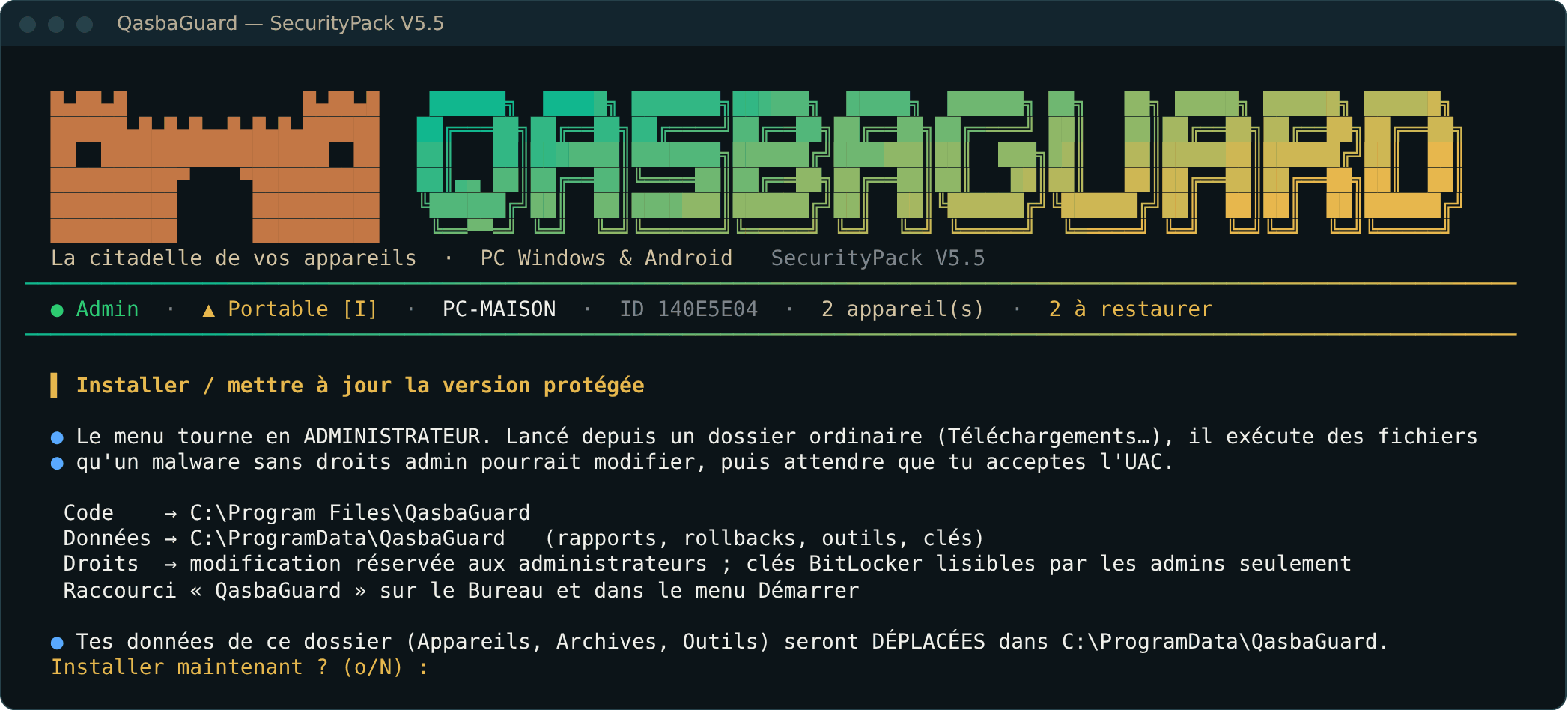
Windows protected your PC? This is the SmartScreen window, normal for a free unsigned tool. Check the zip's SHA-256 hash (Get-FileHash in PowerShell) against the one on the Download section, then choose More info > Run anyway.
Portable version: same steps 1 to 3, then double-click START.cmd. The I key in the menu installs the protected version whenever you like.
2The menu
Use the ↑ ↓ arrows then Enter, or press the key shown in brackets. The top banner shows your rights, the device and pending rollbacks.
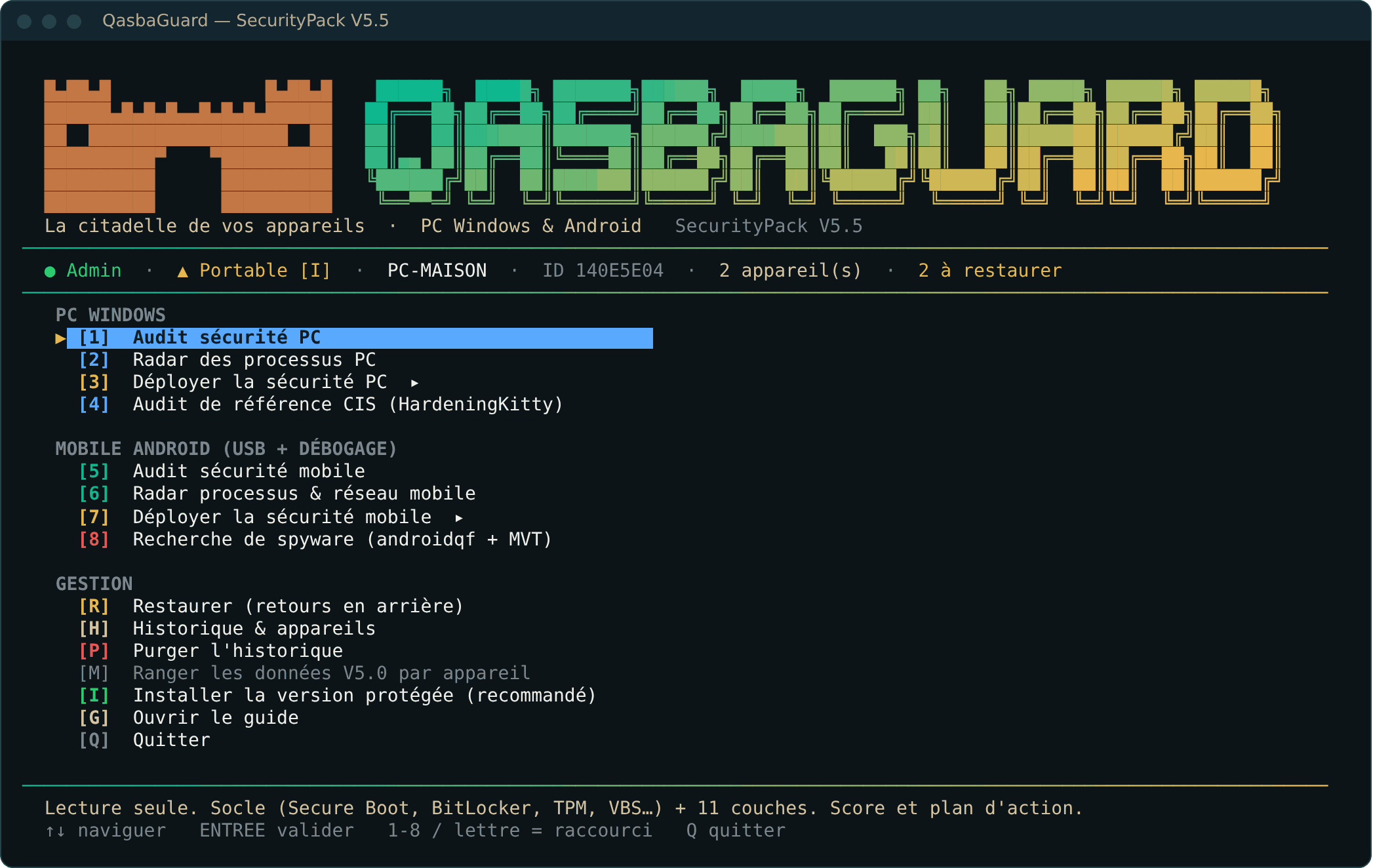
| Key | What it does |
|---|---|
| 1 2 4 | PC audits, read-only |
| 3 | Deploy PC security (simulation or real) |
| 5 6 | Phone audits, read-only |
| 7 | Deploy phone security |
| 8 | Look for spyware on the phone (androidqf + MVT from Amnesty International) |
| R H P | Restore, report history, purge |
| L | Language of the reports |
3Audit
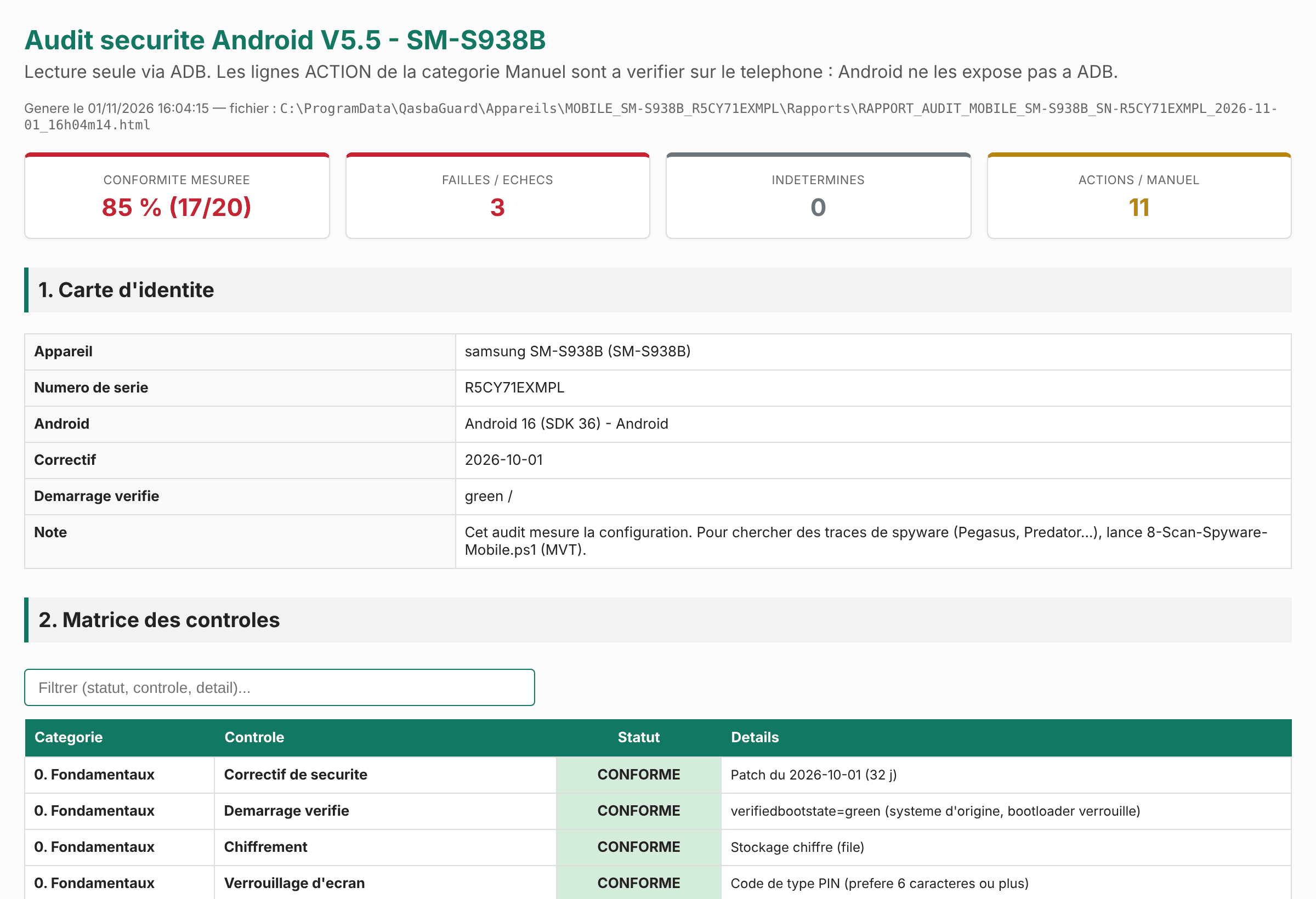
Always start with 1. Nothing is changed: you get a report in your browser, with a score, the flaws by severity and what to do.
4Deploy a level
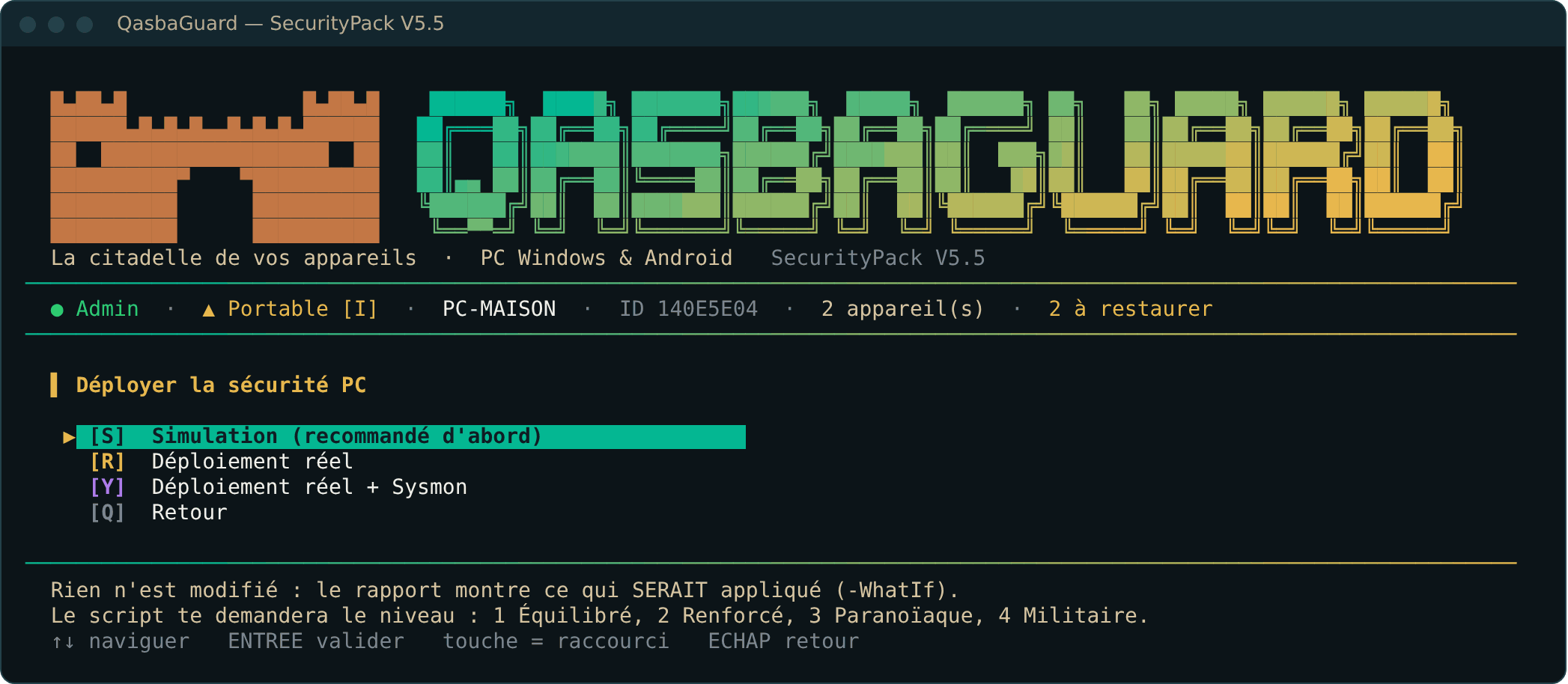
- Key 3 > Simulation.
- Choose the level. If in doubt: 2 · Hardened.
- Read the simulation report: each line says what would change.
- Repeat with the real deployment (Déploiement réel), then restart the PC.
- Run audit 1 again to measure the progress.
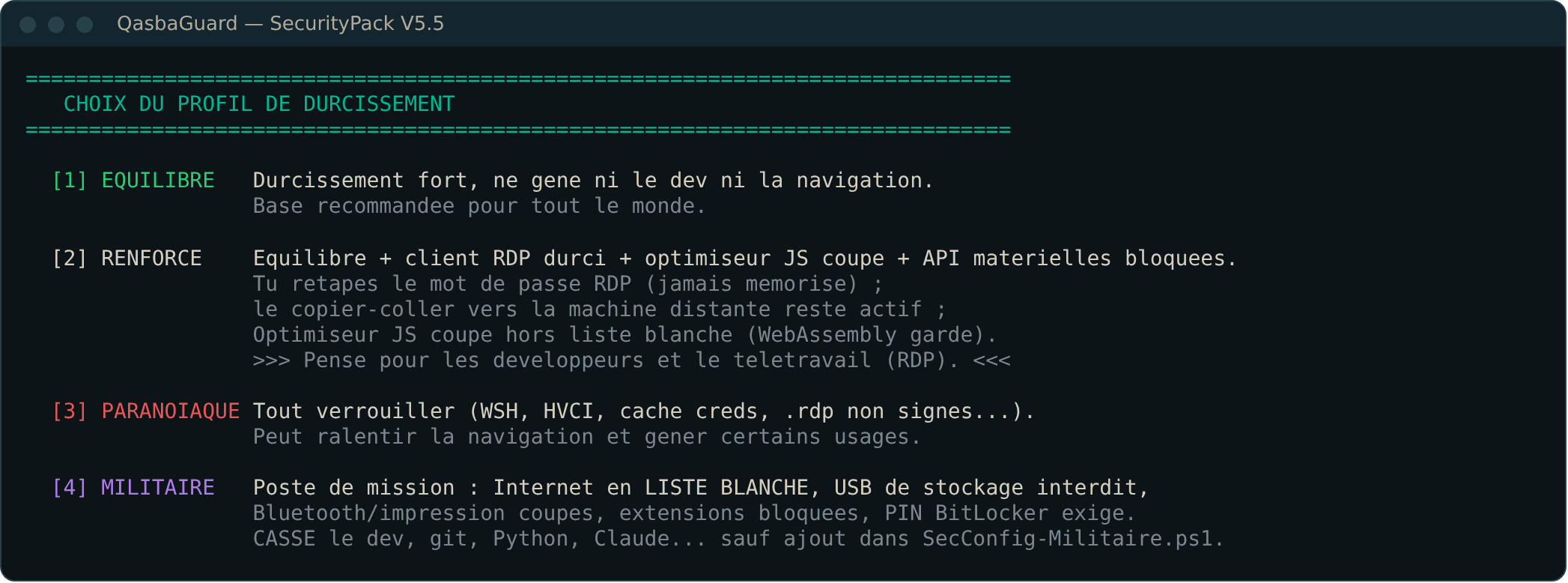
BitLocker. If encryption is offered, the recovery key appears on screen: copy it away from the PC (paper, password vault) before confirming. Without it, a failure can make the disk unreadable.
5Roll back
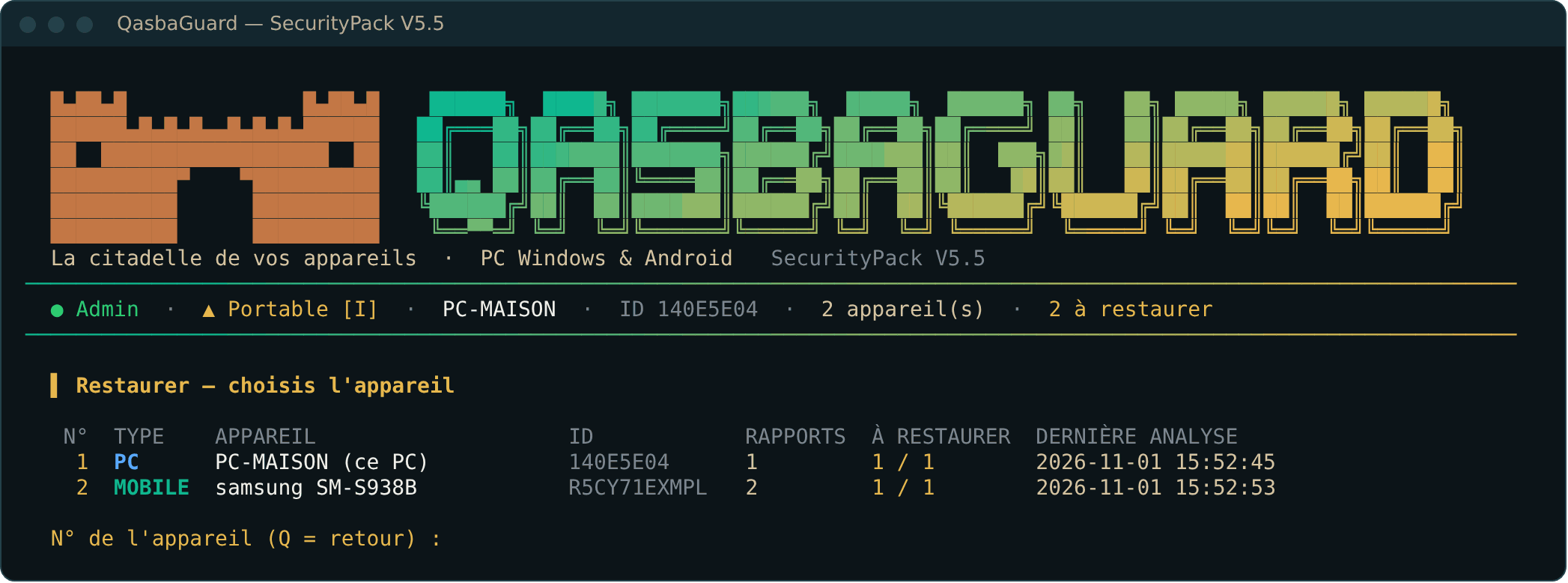
Press R and choose the device: QasbaGuard offers rollbacks from newest to oldest, and refuses to skip a step. A Windows restore point is also created before each deployment.
6The Android phone
- On the phone: Settings > About phone > Software information, tap Build number 7 times.
- Developer options > USB debugging: on. On Samsung, temporarily turn off Auto Blocker.
- On the PC: download SDK Platform-Tools for Windows from developer.android.com and copy the whole folder content into
C:\ProgramData\QasbaGuard\Outils\platform-tools\. - Connect the cable, accept “Allow USB debugging”, then run 5 and 7.
- At the end of the session, agree to turn off USB debugging.
Your mobile antivirus, password manager and accessibility tools, installed from an official store, are always preserved. For any other app able to read your notifications or control the screen, QasbaGuard asks you before removing anything.
7Your antivirus
QasbaGuard works with Defender and with third-party antivirus products, and never disables them. An antivirus may still block a tool that changes security settings by mistake. If so, add an exclusion (Exclusions or Exceptions section) for:
C:\Program Files\QasbaGuardandC:\ProgramData\QasbaGuard(installed version);- or the extracted folder (portable version).
If your antivirus has its own firewall, the report lists the rules to reproduce there.
8Uninstall
- Key R: restore whatever you want to undo.
- Delete
C:\Program Files\QasbaGuard,C:\ProgramData\QasbaGuardand the QasbaGuard shortcuts on the Desktop and in the Start menu.
9Limits
No tool protects against everything: an unknown flaw, an already compromised device (it must be reinstalled), a phishing link someone clicks. QasbaGuard comes with no warranty: start with the simulation and keep your backups up to date.